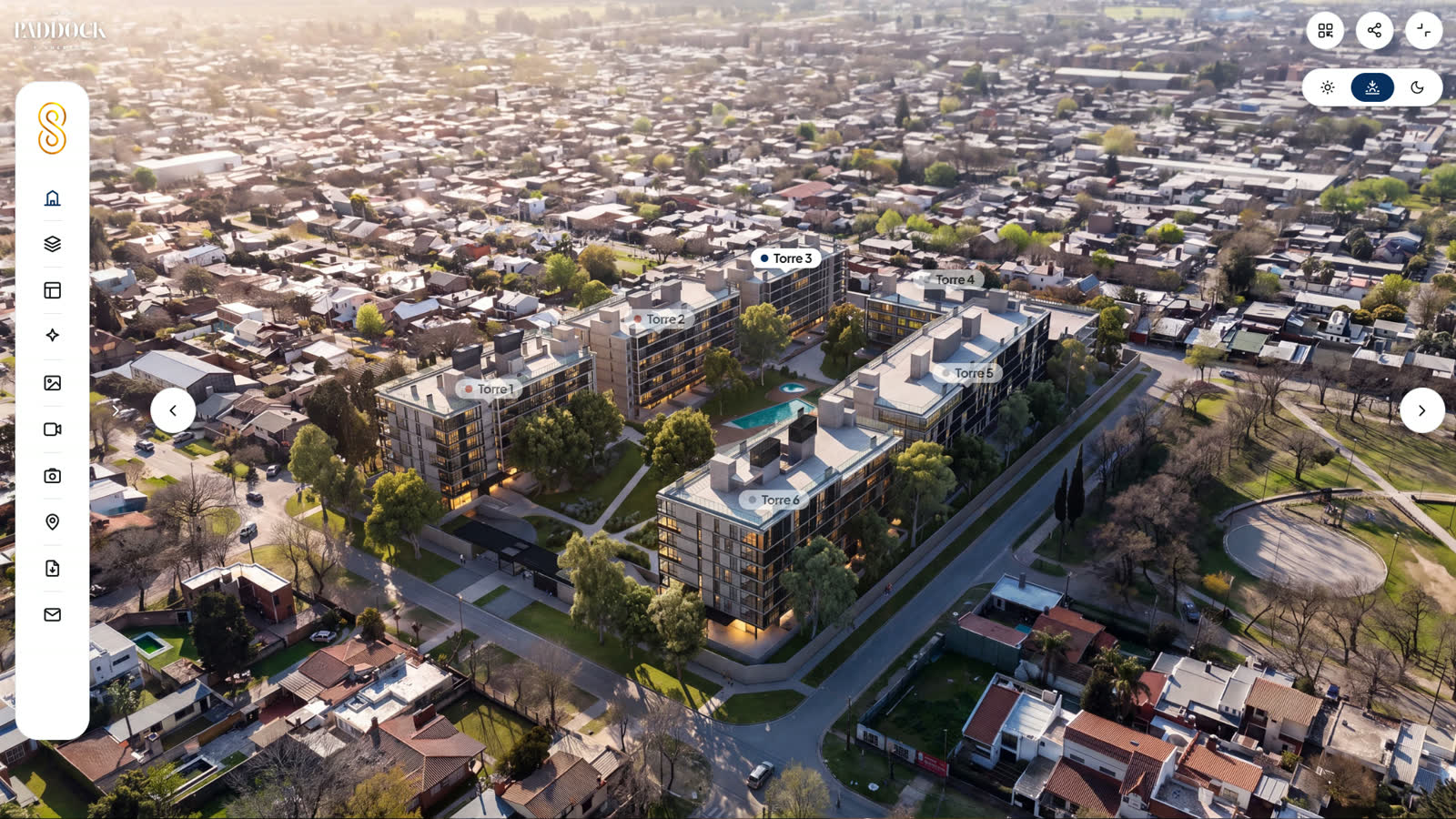
Aerial view
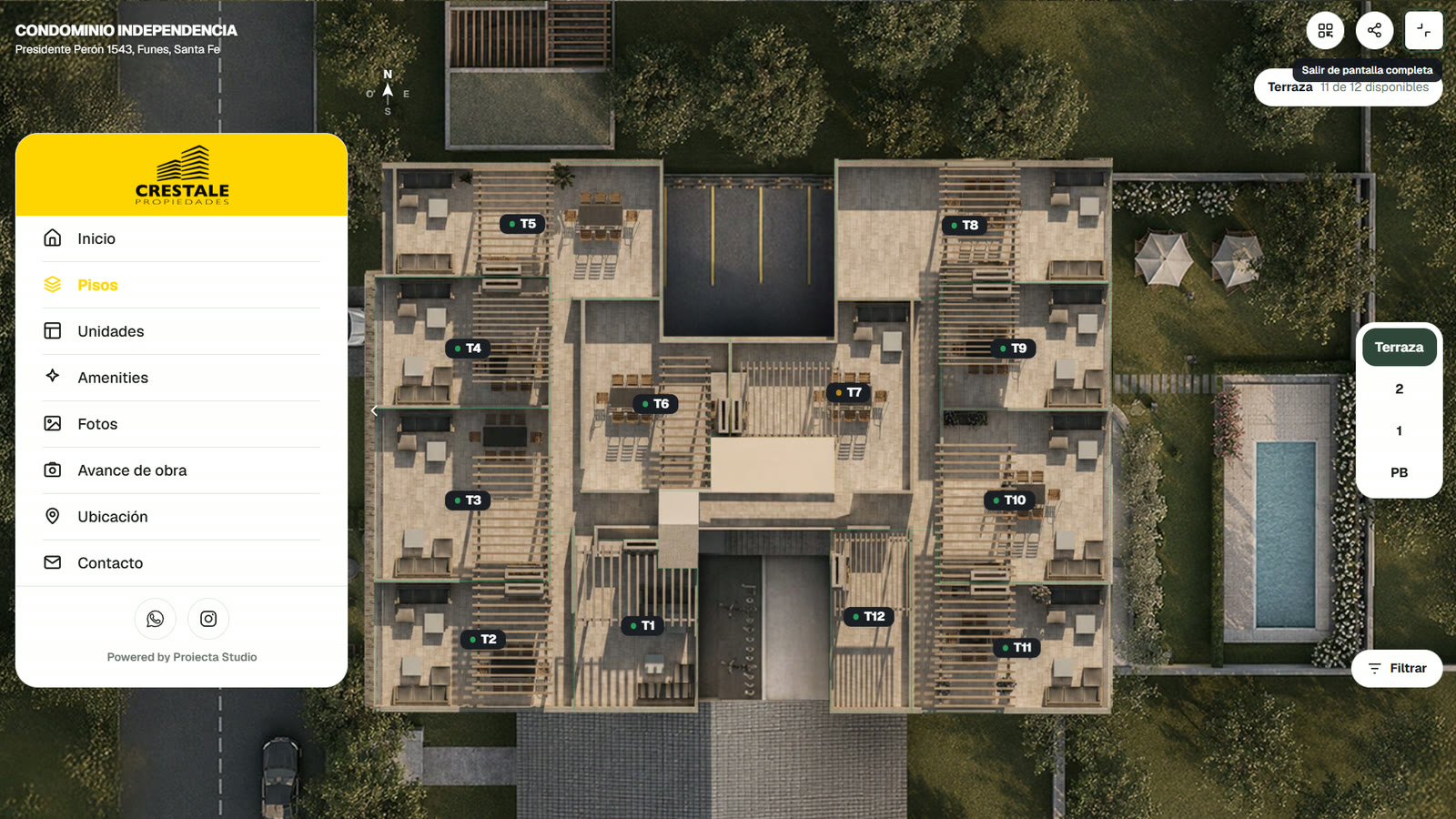
The buyer comes in through the project’s aerial view, picks a tower and drops down to the floor they’re interested in.
- From a link
- No apps, no downloads
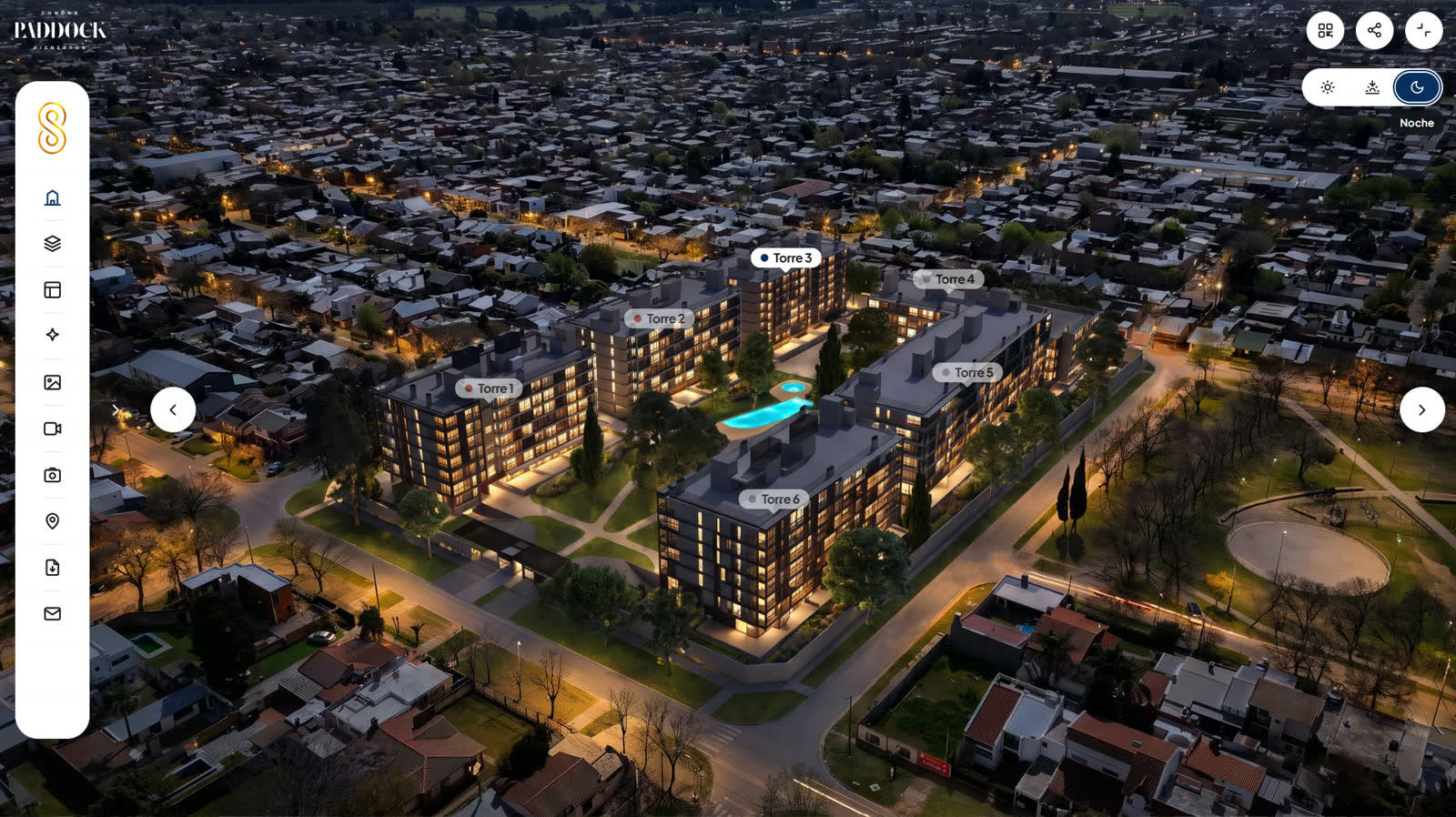
Night view
With one tap, the buyer switches the aerial view to night and sees the complex lit up.
- Day and night
- Night rendering
Floor-by-floor navigation
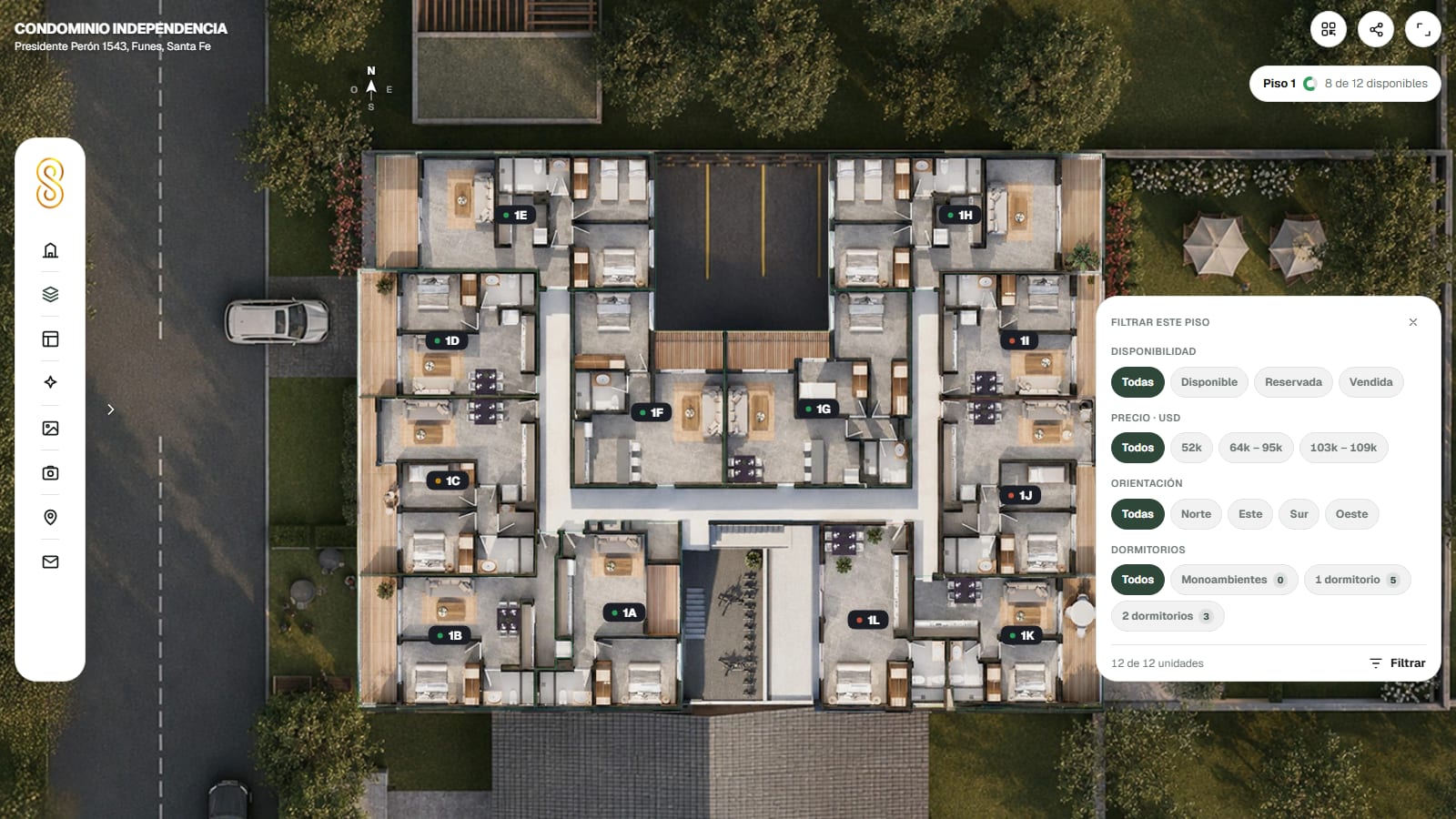
The buyer moves through the building floor by floor, and on each floor sees the units and their status.
- Floor by floor
- Status at a glance
Unit filter
The buyer filters by availability, exposure and bedrooms, and sees only the units that fit.
Unit availability
The buyer sees at a glance which units are available, reserved or sold, floor by floor.
- On the facade
- Building grid
Compare units
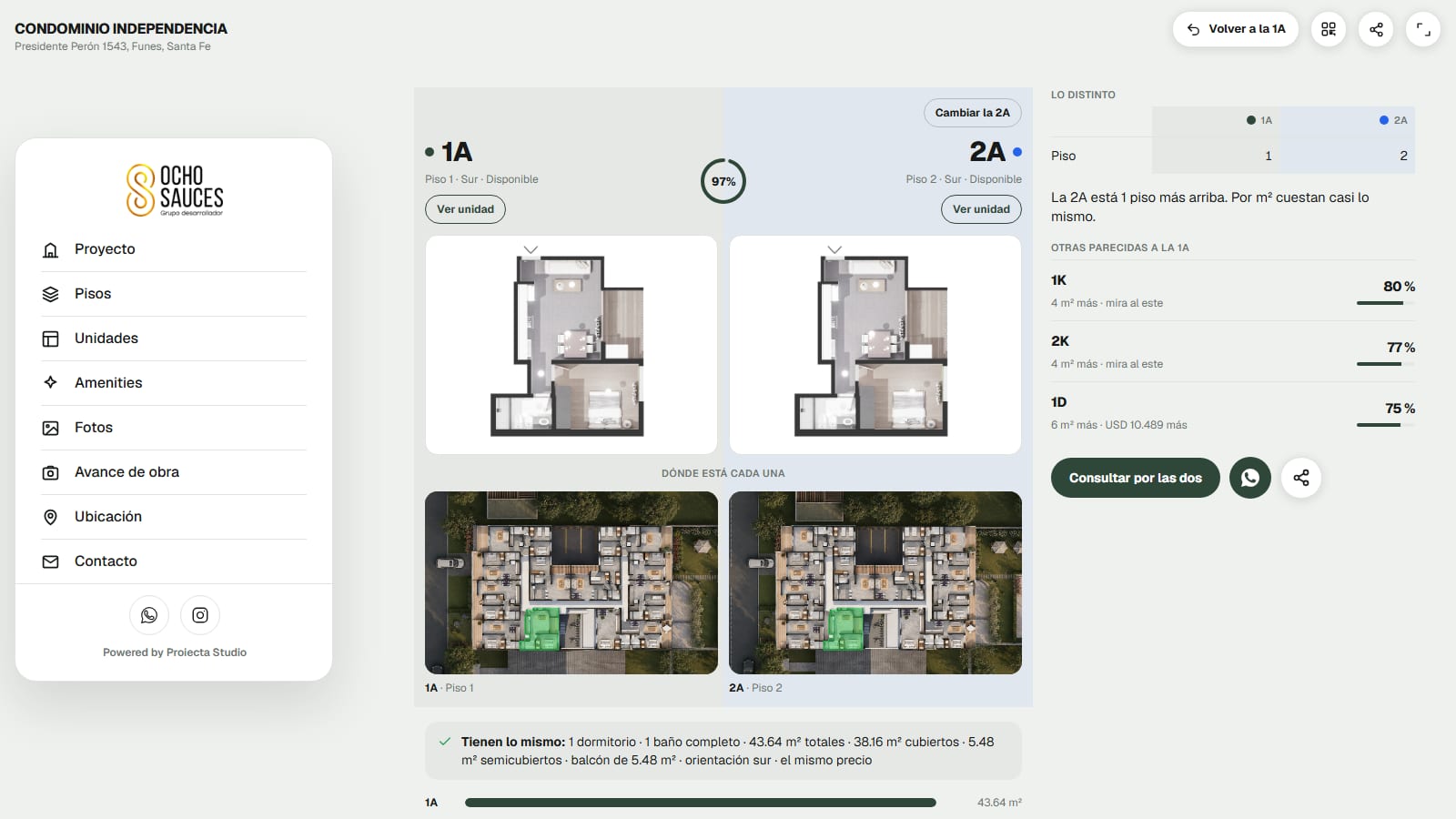
Puts two units side by side: floor plan, size, exposure and price on the same screen.
Unit details
Size, exposure, floor plan and today’s price, all on a single screen.
- Today’s price
- Floor plan and exposure
Downloadable spec sheet
The buyer downloads the unit’s spec sheet as a PDF, with the floor plan, the areas and the price as of that moment.
Downloadable floor plans
Each unit’s floor plan with its dimensions, ready to download and show to the family or the architect.
360 tour
The buyer steps into the unit and walks through all of it, as if they were standing inside.
- Inside the unit
- Swipe to explore
Realistic transitions
Moving from one room to the next is real motion, not a hard cut.
Amenities
The buyer tours the clubhouse, the pool and the terraces just like the units.
- Clubhouse, pool, terraces
- Fully walkable
Photos and renderings
All the project’s visuals organized by area, with no folders sent by email.
- By area
- Always the latest version
Map of your projects
If you have more than one development, the buyer sees them all on one map, filters by budget and goes into the one that fits.
Prices from your spreadsheet
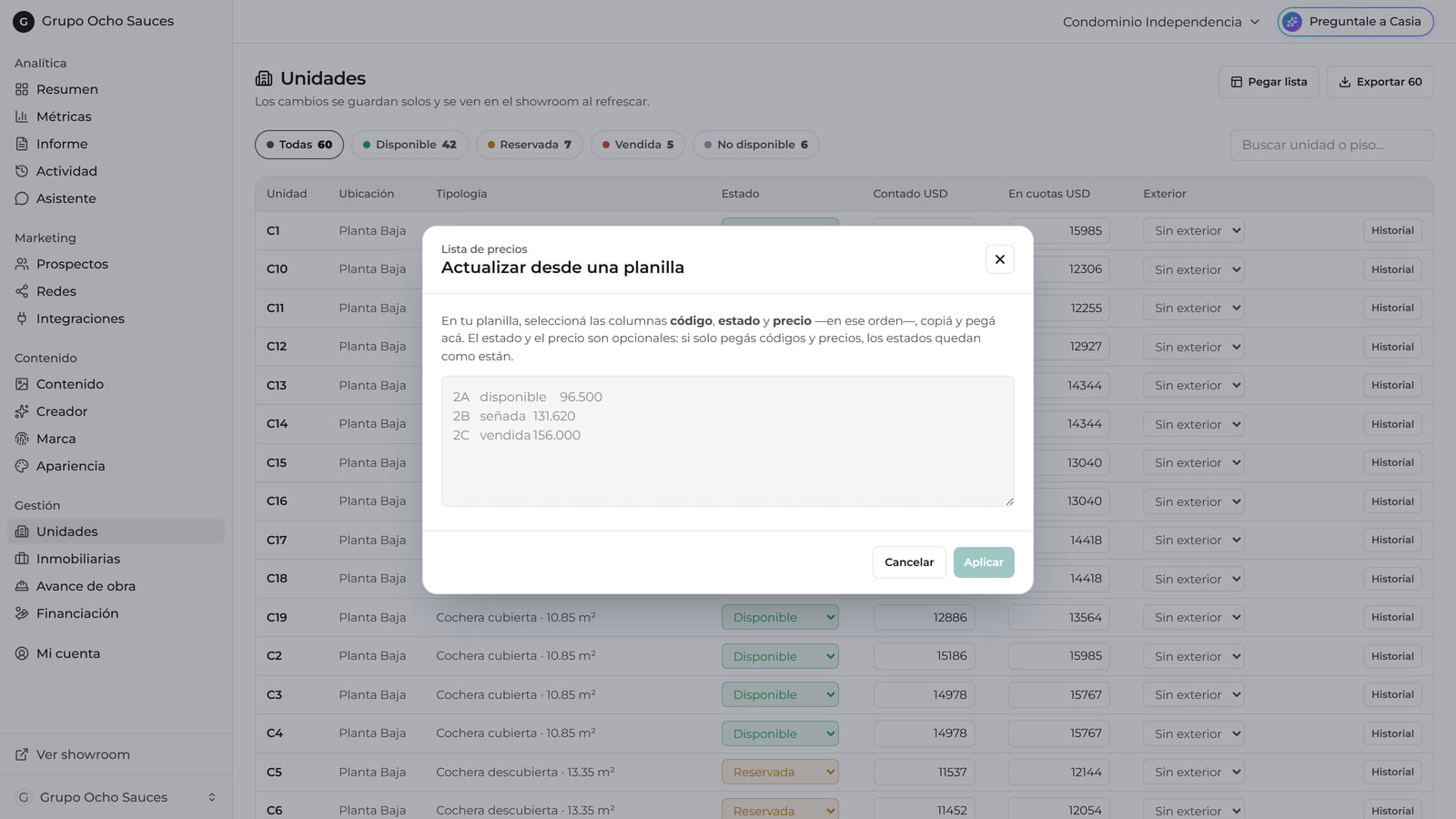
Change a price in the spreadsheet you already use and the showroom picks it up on its own: one list, always up to date.
Instant availability
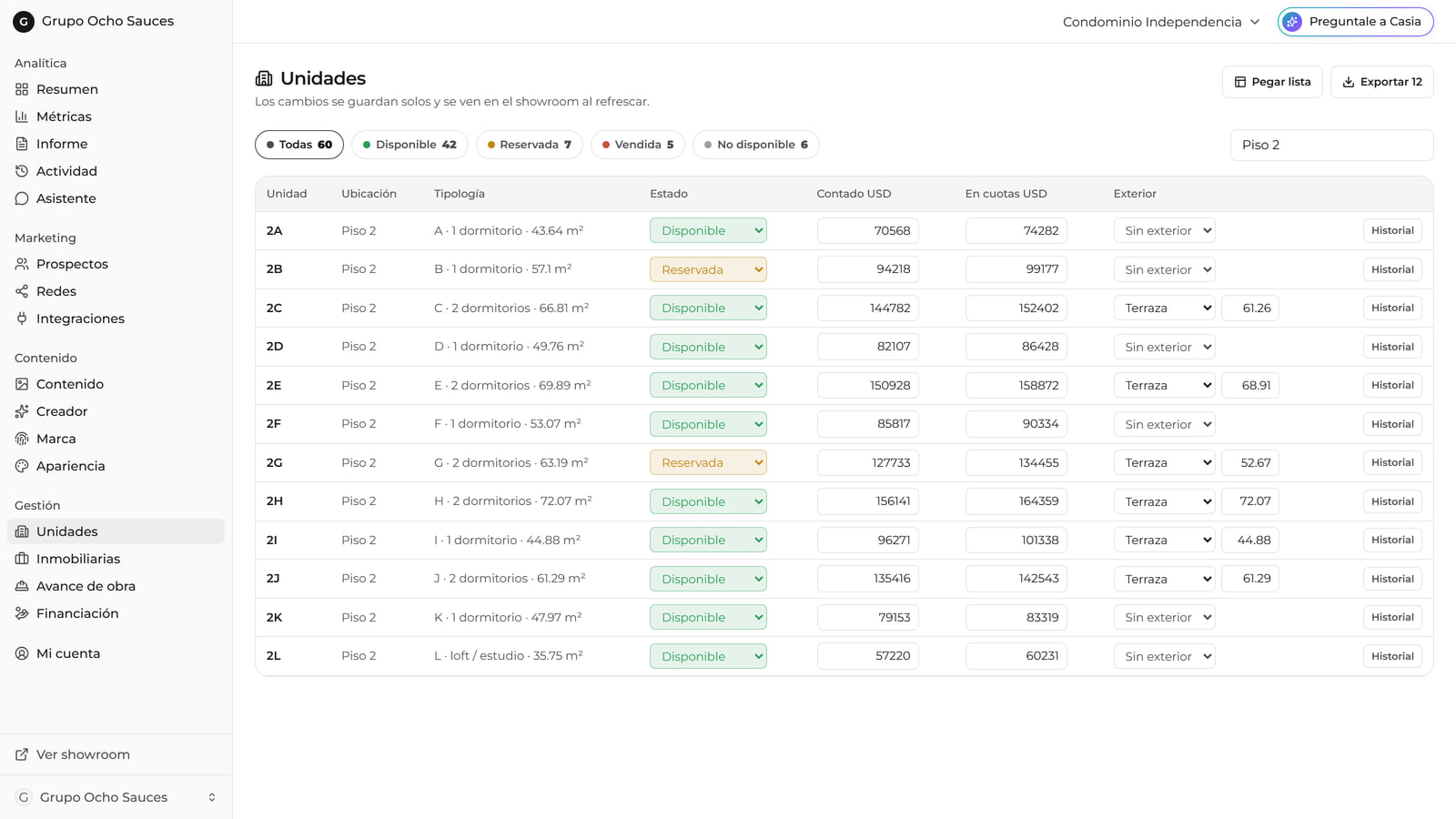
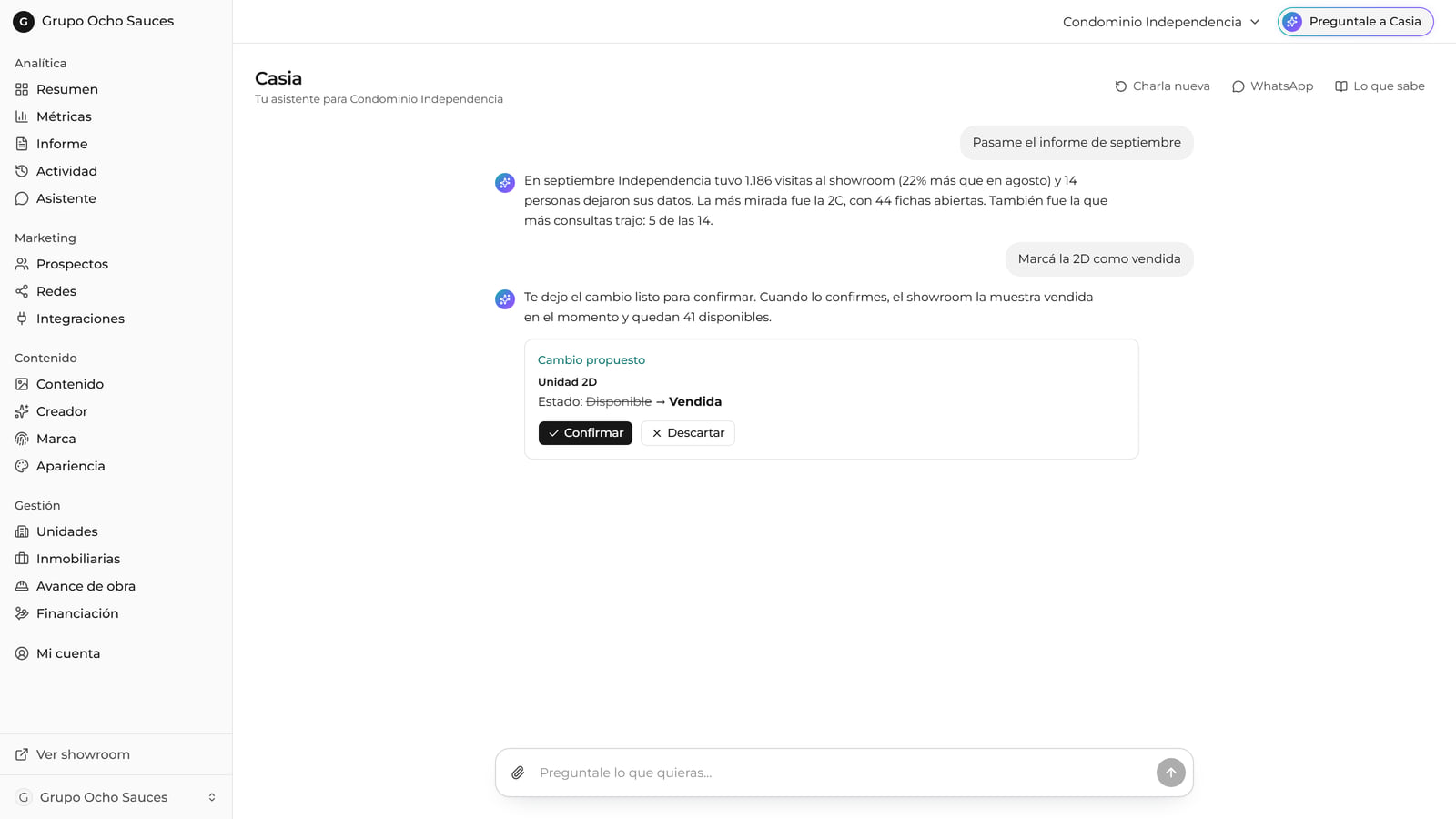
Mark a unit as reserved or sold and it changes in the showroom right away.
- Reserved or sold
- No phone calls
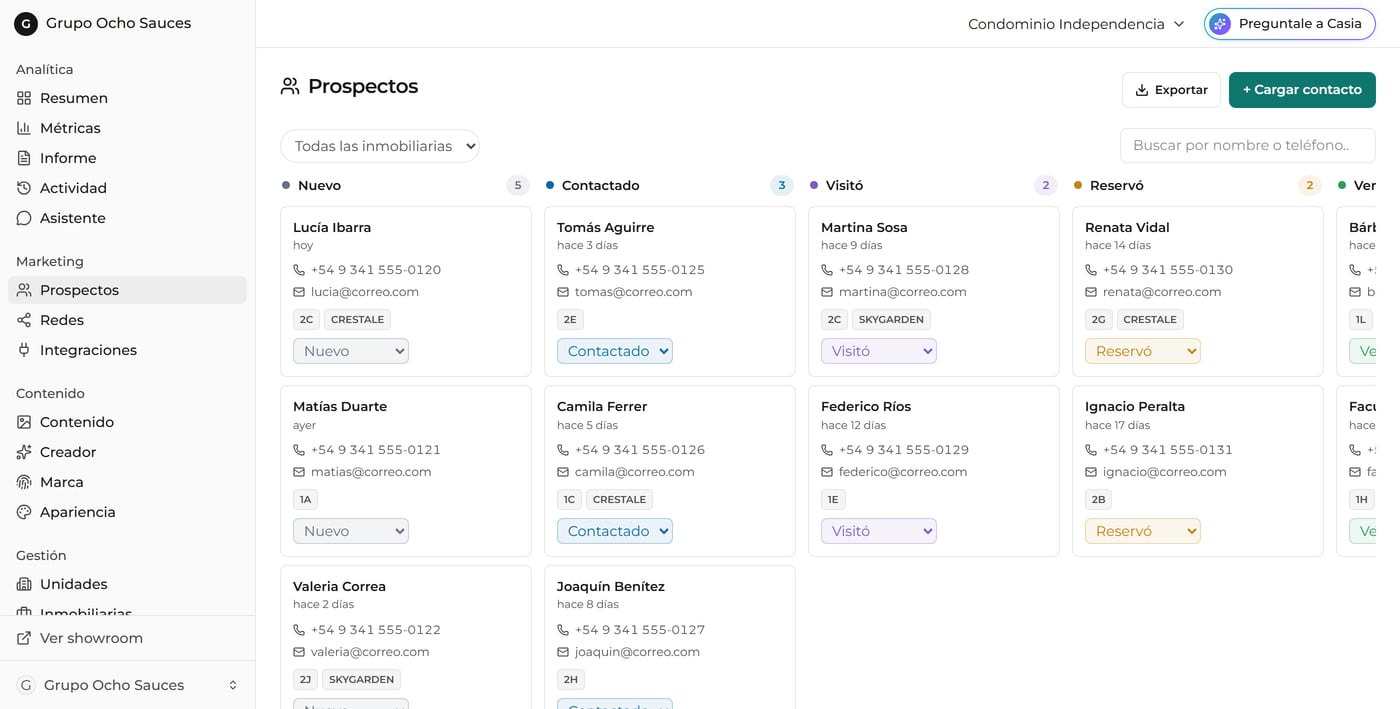
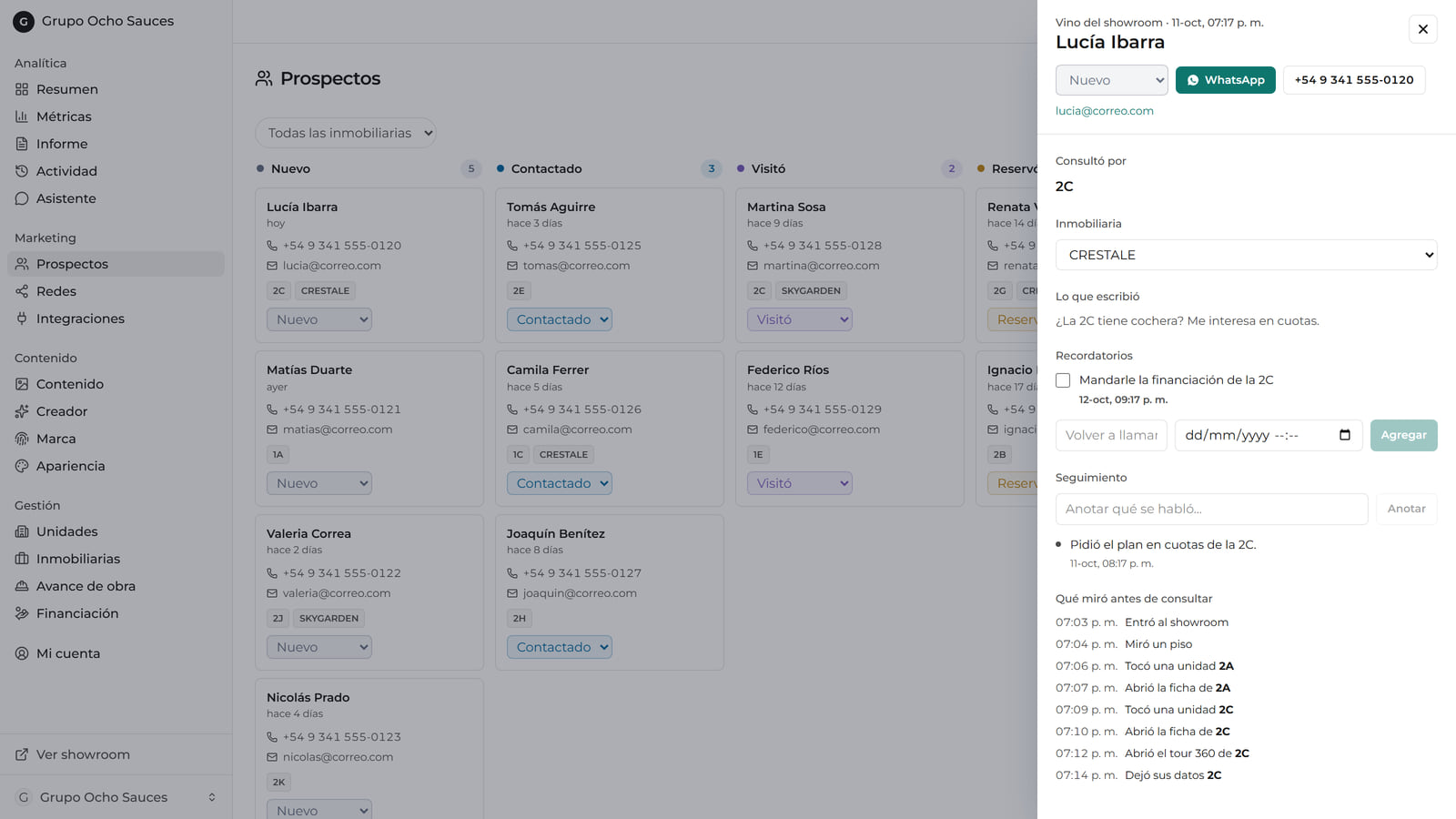
Leads with their journey
Every inquiry comes in with the units the person viewed before reaching out, and you track it through stages.
- What they viewed first
- By stage
Links per brokerage
Each brokerage gets its own branded link, and every lead that comes through it is credited to them.
- Their branding
- Automatic attribution
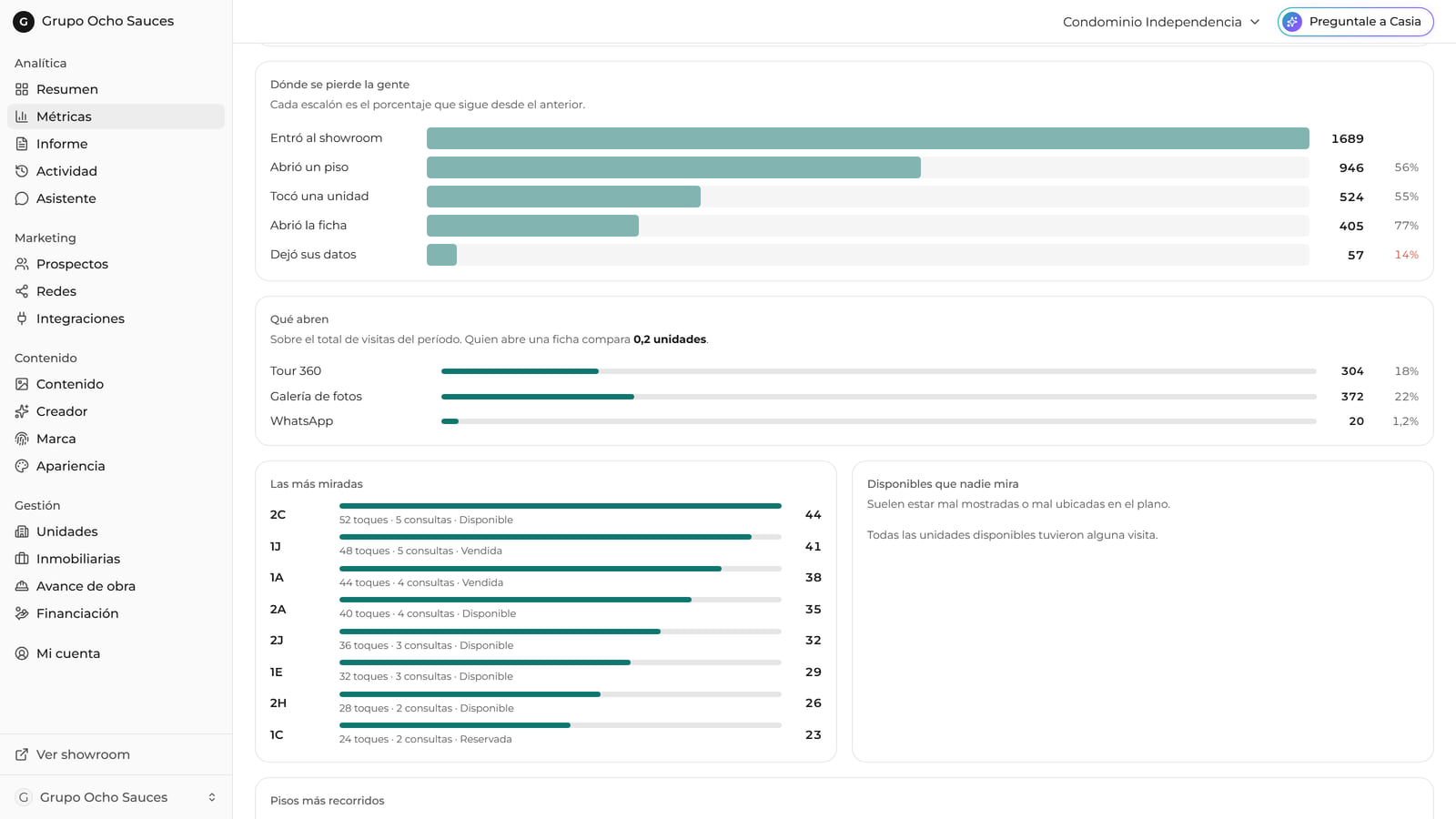
Analytics
How many come in, how many open a unit and how many leave their details, plus which units get the most views.
- Visitor funnel
- Most viewed
Content builder
Create social media posts with the project’s data, without going back to the agency.
- Posts and carousels
- Your branding
Brochure builder
The brochure builds itself around the unit the buyer picked: its floor plan, its price and its exposure.
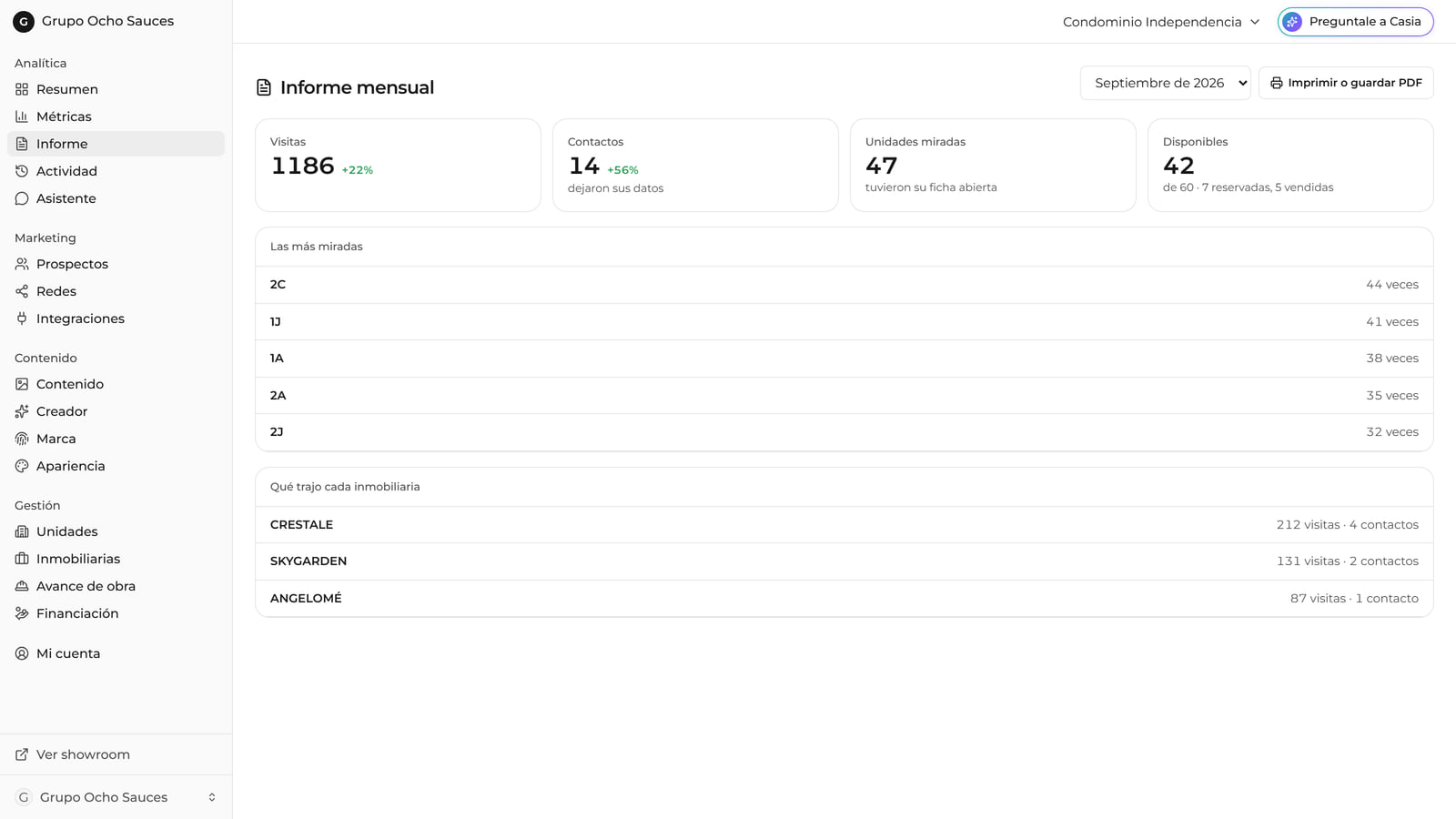
Spreadsheets and reports
The price list, sales status and the monthly report, ready to export.
Casia, your assistant
You message it like anyone on your team: it answers with today’s data and leaves the change ready for you to confirm.
- With today’s data
- You confirm
Link and QR per unit
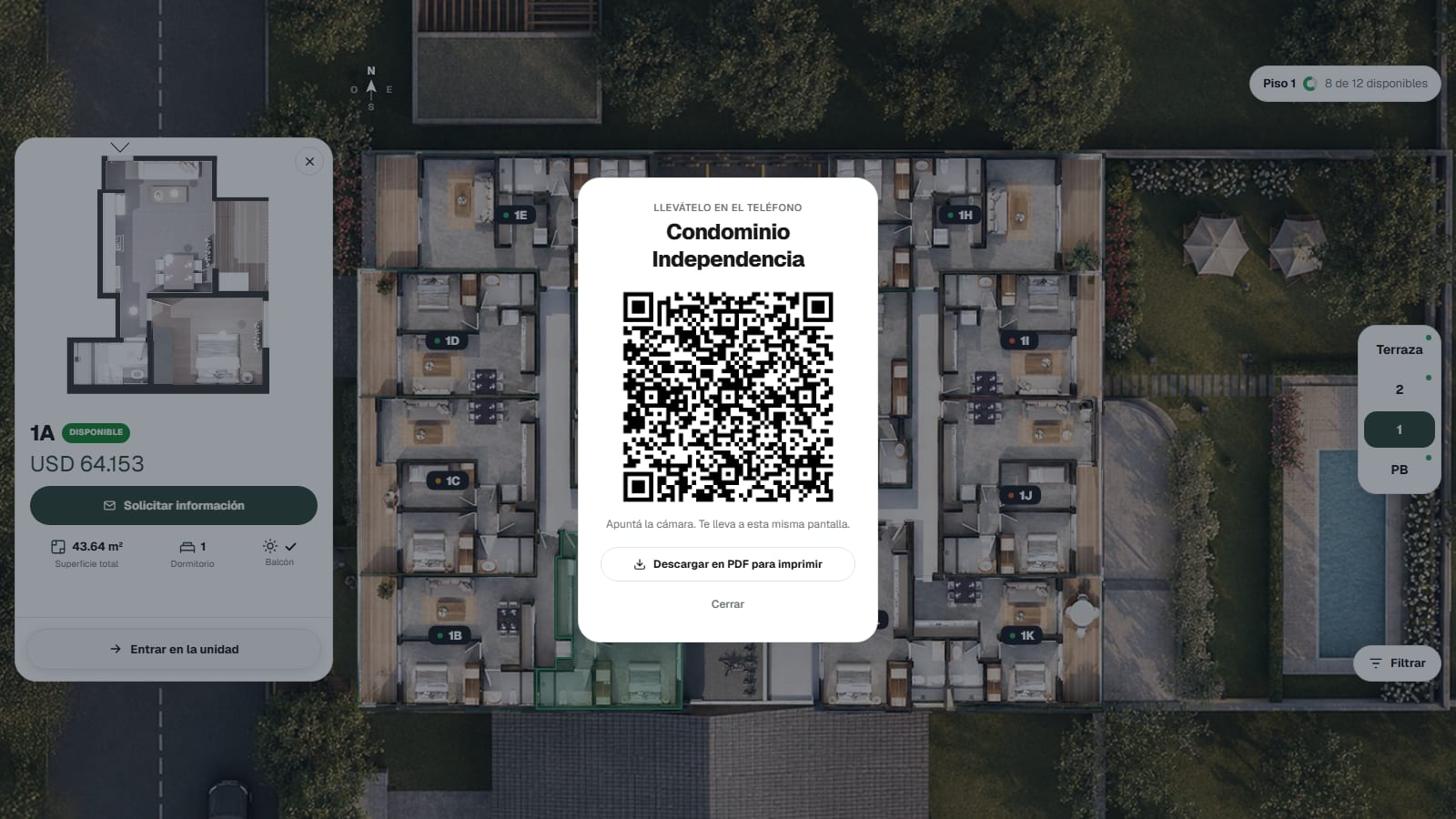
Every unit has its own link and QR code: on the site sign, on a flyer or on WhatsApp, it opens that exact unit.
On your domain
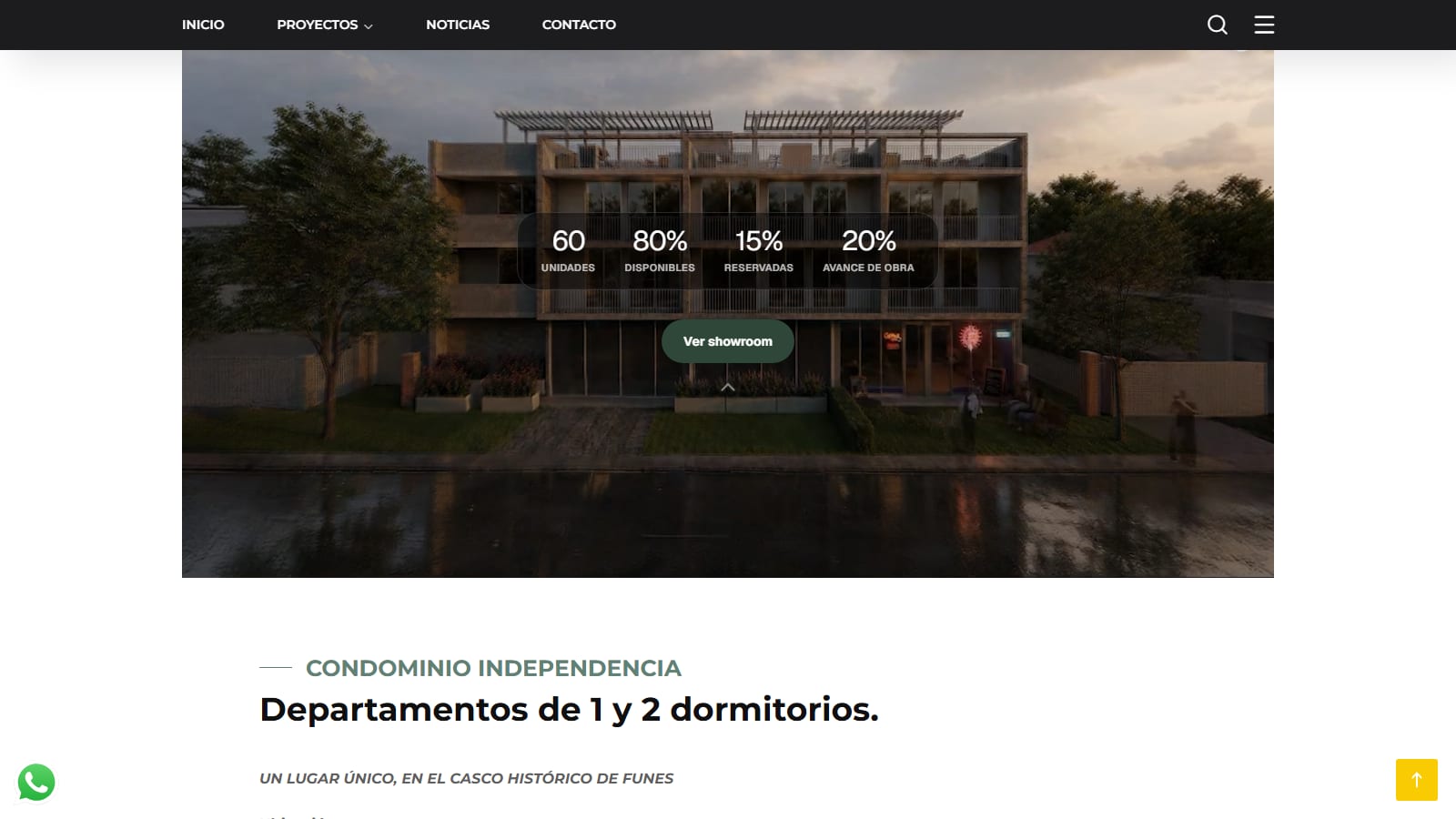
It lives at your company’s web address and can sit inside your website: it’s your site, not a platform.
- Your domain
- Inside your website
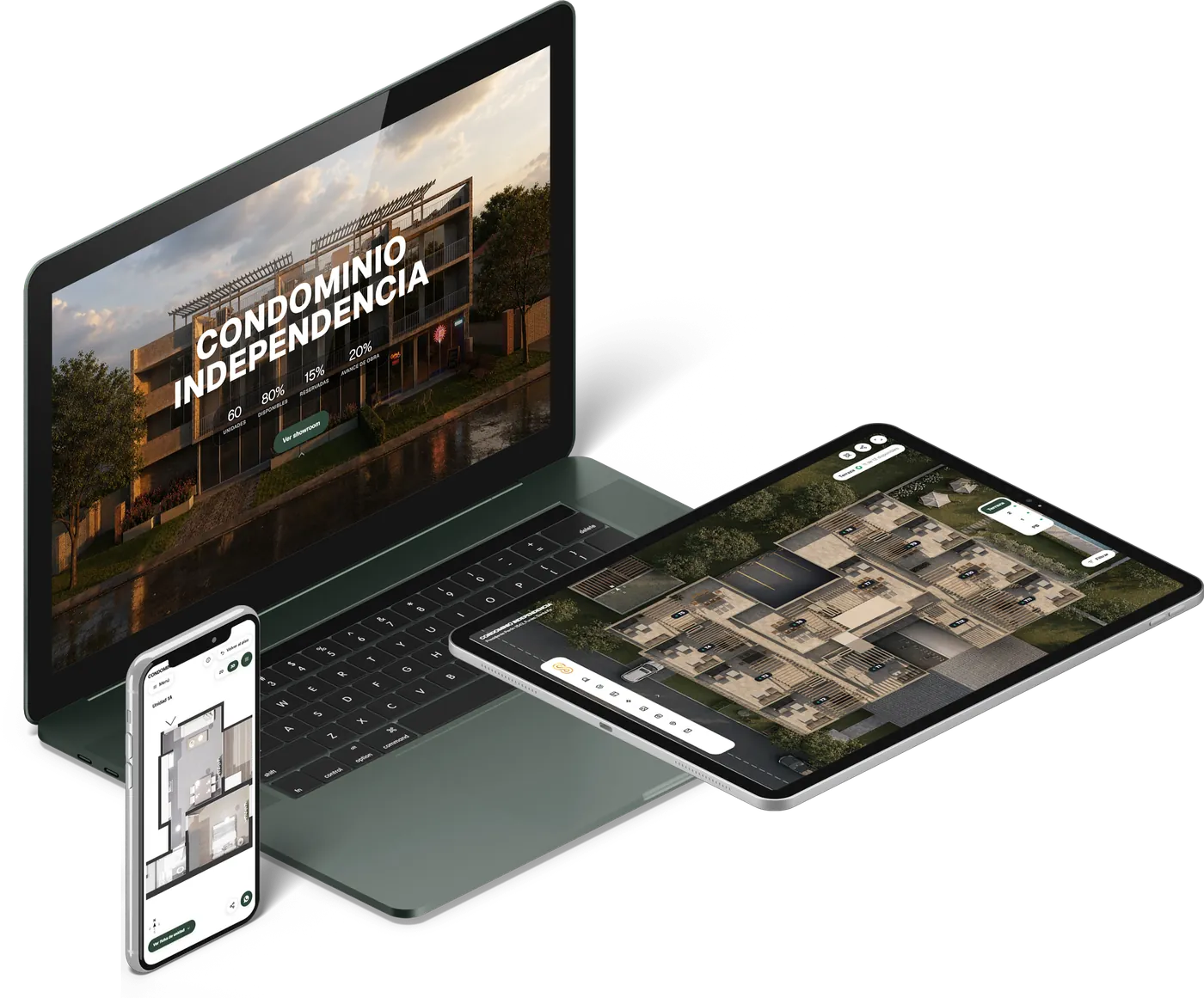
On any phone
Opens from a link, on any phone, with no apps or downloads.
Suggest your own
If you need something that isn’t on the list, you suggest it, we review it with you and, if it helps you sell, we build it for your project.
- Made for you
- Reviewed with you